
Picky
[EN] Senior Admin
-
Joined
-
Last visited
Everything posted by Picky
-
Fresh Flowers • Beautiful Gifts • Same-Day Delivery Looking for the perfect way to make someone smile? 💐 Krokus Flowers is your online flower shop, ready to help you find the perfect bouquet for every occasion. Whether you're celebrating a birthday, anniversary, special moment, or simply want to surprise someone — we have something for you. ❤️ 💐 WHAT WE OFFER🌹 Fresh flower bouquets 🌷 Multiple flower options 🌻 Beautiful arrangements 🎁 Additional gifts and surprises 💌 Custom orders upon agreement 🚗 Same-day delivery available Our selection includes fresh flowers and various gift options, so you can create a complete surprise without having to look anywhere else. 💗 WHY KROKUS FLOWERS?✨ Fresh flowers ✨ Multiple options to choose from ✨ Friendly and personal service ✨ Same-day delivery ✨ Custom arrangements upon agreement ✨ Always ready to serve you At Krokus Flowers, we believe that sometimes a small bouquet can say more than a thousand words. 🌸 Krokus Flowers — bringing your feelings to their destination. 🌸 📩 Place your order today and let us take care of the rest!


-
-
-
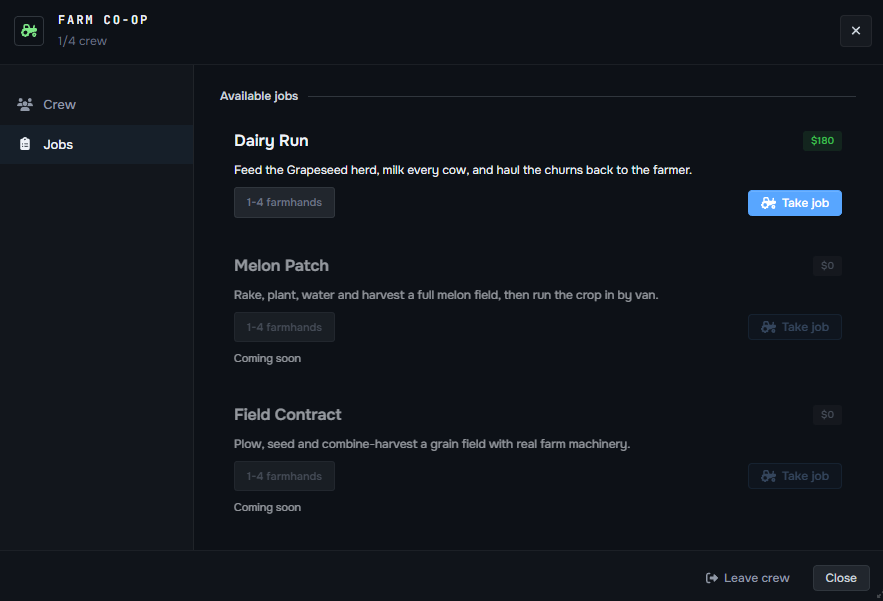
Hola!I just like all. :DSounds interesting! You have my vote :)Suggestion: Ability to Remove Vehicle Number PlatesI would like to suggest adding an option for players to remove the number plate from their vehicle. Currently, every vehicle is required to have a visible number plate, which can sometimes limit customization and roleplay possibilities. Allowing players to remove their plates would add more freedom for both vehicle customization and RP scenarios. I think this would be a relatively small addition that could provide a lot more freedom for vehicle builds and create additional RP opportunities.+1 here, I must admit that a lot of nice clothes which is added is way too "BIG". That feeling that you are having Breakfast / Lunch / Dinner in McDonalds. I would look up for something more cozy - well fit. Of course, these outfits are nice for people who roleplay being fat or smth, but for others there are not many options.+1 You barely can adjust yourself, takes a lot of time while you're in the middle of roleplay. Please fix it.+1 good ideaI would like to suggest adding an option to permanently remove vehicles obtained from Lucky Spins when the player no longer wants or needs them. For example, I recently got lucky and won a Tulip 2C (ONX modded vehicle) from a Lucky Spin. While winning a vehicle is obviously a nice reward, I personally have no use for this particular car and would rather remove it from my vehicle collection. I completely understand why these vehicles are non-sellable, and I think that part is perfectly fine. However, there should still be a way for players to permanently remove a vehicle from their own possession. Currently, /deletecar does not solve the issue, as it returns the message: The problem is that even a Senior Admin cannot permanently delete the vehicle, meaning the player is essentially stuck with an unwanted vehicle in their garage/vehicle list. Please consider adding a proper permanent vehicle removal option for players.Take it far!I decided to write a detailed guide for the Farming Job since there are only two scripted jobs left that currently don’t have guides posted. However, after checking the Farming Job myself, I noticed that the current system is quite different from what I initially expected. Instead of planting crops, growing different goods, and eventually harvesting them, the current script seems to be focused almost entirely on getting milk from goats. In my opinion, this system should be reworked and expanded with additional activities and progression options. Otherwise, I’m concerned that the Farming Job will simply become a dead script that very few players will actually want to use or stick with. Right after I joined as an admin, I actually saw a few people actively farming, including planting and growing different goods. Now that functionality appears to be disabled, which is unfortunate because harvesting and crop production would make a lot of sense as higher-rank activities and give players something meaningful to work toward. I believe we could work out a proper progression system with @FatCatTuxedo , including planting, growing, harvesting, different types of crops, and potentially additional farming activities unlocked through higher ranks. This would make the job much more engaging and give players an actual reason to progress instead of repeating the same goat-milking activity. I would like to ask for management approval to look into reworking the Farming Job. If approved, I can discuss the possible mechanics and progression with @FatCatTuxedo and put together a more detailed concept. Please take this suggestion into consideration, and let me know if there are any questions or anything you would like me to clarify. @MelonDisrupt @Luminin @java @Musiceith Thanks!
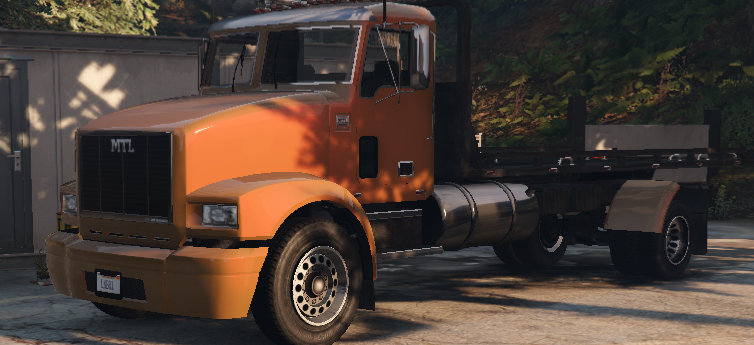
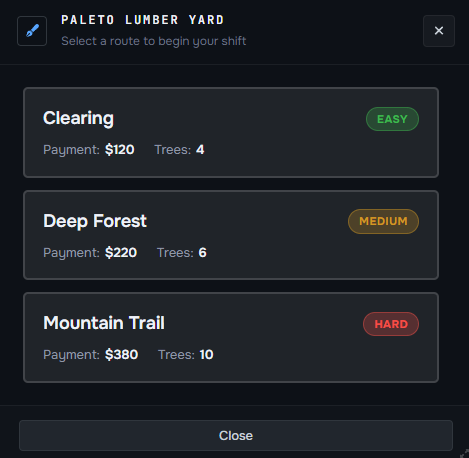
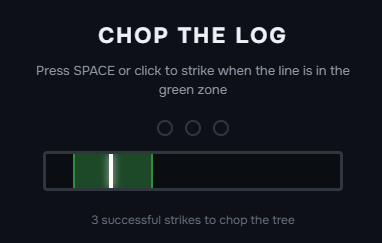
 ROLEPLAY PROJECT · LUMBER JOB GUIDE [PICKY 2008/26.01] Welcome to the Lumber Job Guide! If you're looking for a job that combines exploration, physical work, and steady progression, the Lumber Job is a great place to start. As a lumberjack, your task is to head into the forest, cut down trees, collect the wood, and turn your hard work into a reliable source of income. In this guide, we'll walk you through how to start the Lumber Job, how the work process functions, where to collect and deliver materials, and how you can earn money while doing it. Put on your work gear, grab your equipment, and get ready to turn the forests of Los Santos into your workplace. HOW TO START AND WORK THE LUMBER JOB STARTING YOUR SHIFT IMPORTANT Before starting your shift, make sure you're dressed appropriately for the work you're about to do. Lumbering is physical, outdoor work, so wearing a realistic outfit is an important part of maintaining the roleplay atmosphere. Avoid showing up to the Lumber Yard wearing a business suit, formal clothes, or other outfits that wouldn't realistically be worn by someone working in the forest. Instead, choose practical workwear such as a work jacket, shirt, jeans, boots, gloves, or other suitable clothing. Remember, you're playing a role, not just completing a scripted job. Small details like your clothing help make the world feel more realistic for both you and everyone around you. Dress like a lumberjack, act like one, and enjoy the shift! To begin your Lumber Job, you'll first need to make your way to the Lumber Yard, located out in the county. The location is marked on your map with an “L” icon, making it easy to find even if you're visiting for the first time. The Lumber Job is designed to be simple, straightforward, and easy to understand. You won't need to learn a complicated system or remember dozens of different mechanics before getting started. Most of the job is based around a simple routine: drive to the location, cut the trees, collect the wood, load it onto your truck, and bring everything back to the Lumber Yard. After doing it once or twice, you'll quickly get the hang of the entire process. NOTE That said, don't rush through it. You're working with heavy equipment and a work truck, so make sure to drive responsibly and realistically, especially when travelling between the Lumber Yard and the work locations. Take your time, follow the roads, and treat the job like an actual day's work rather than simply driving from point A to point B. CHOOSING YOUR DIFFICULTY Once you've arrived at the Lumber Yard, this is what the working area looks like. Head over to the designated employee and stand nearby, then press E to interact with them. A menu will appear on your screen where you can choose the difficulty of your shift. You will have three difficulty options: 🟢 Easy — fewer trees and fewer work locations. 🟡 Medium — more trees and additional locations to visit. 🔴 Hard — the largest workload and potentially more distant locations. The main difference between the difficulties is how much work you'll have to complete and how many locations you'll need to visit. Higher difficulties can send you to locations that are further away from the Lumber Yard, meaning you'll spend more time travelling between jobs. However, the additional work and longer routes pay off with a higher overall reward, making the harder options worthwhile if you're willing to spend more time on your shift. If you're just starting out, we recommend trying Easy first so you can familiarize yourself with the process. Once you understand how everything works, you can move up to Medium or Hard and take on larger workloads. GETTING YOUR WORK TRUCK After you've selected your preferred difficulty, your duty truck will automatically spawn right next to you. Get inside your truck and prepare to head toward your first work location. Your destination will be clearly marked on your map, so you won't need to search for the location yourself. Simply follow the route and make your way there. Remember that the truck is part of your job, so drive it properly and take care of it. Avoid unnecessary crashes or reckless driving, especially while travelling through the county. CUTTING DOWN THE TREES Once you've arrived at your first location, park your truck properly before starting your work. You'll need to load the wood you've collected into the truck, so make sure you leave yourself enough space to work around the vehicle. Approach one of the marked trees and press E to begin lumbering. INFO - LUMBERING MINI-GAME Cutting down a tree isn't completely automatic. When you start lumbering, a small mini-game will appear on your screen. You'll need to click your mouse when the indicator reaches the correct area on the line. You will need to successfully hit the target area three times to complete the lumbering process. Pay attention to the indicator and time your clicks carefully — missing the correct area may slow you down or require you to try again. Once you've successfully completed all three clicks, the tree will be ready to collect. Your character will start working on the tree, and once the process is complete, press E again to collect the finished goods. After collecting the wood, return to your truck and press E once more to load the materials into the vehicle. Repeat this process for every tree at the current location. Once you've finished all the trees, get back into your truck and continue to the next location shown on your map. Depending on the difficulty you selected, you may have several locations to visit. Some locations can be quite far from the Lumber Yard, so be prepared for a bit of driving between them. Don't worry if the route takes some time — the additional workload is what makes the higher difficulty levels more rewarding. COMPLETING YOUR SHIFT Once you've visited all assigned locations and collected all of the required goods, it's time to return to where your shift started. Drive the loaded truck all the way back to the Lumber Yard and park it in the designated area. Once you press E inside your vehicle at the yard, the duty truck will automatically despawned, meaning you don't need to return it manually or perform any additional steps. The entire job follows a very simple cycle, so after your first run you'll already have a good understanding of how everything works. Choose your difficulty, drive to the locations, cut and collect the wood, load your truck, and bring everything back to the yard. YOUR SHIFT STARTS HERE! Every shift in the forest is another step toward becoming a true lumbering professional. Start by learning the basics, master the art of cutting and collecting timber, take on more challenging routes, and work your way toward larger and more rewarding jobs. The more experience you gain, the more confident and efficient you'll become. So put on your work clothes, grab your axe, get behind the wheel, and head into the county - your lumbering career starts here! [PICKY 2008/26.01]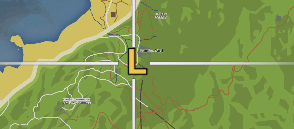
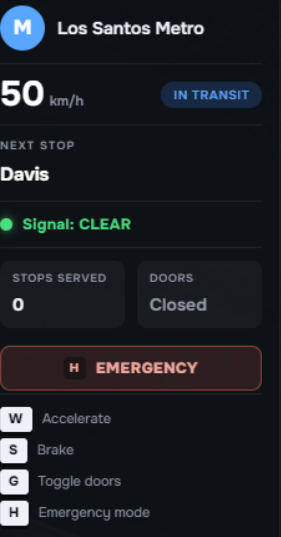
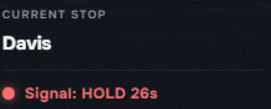
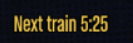
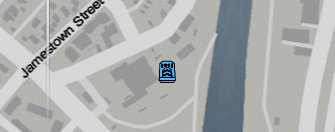
 ROLEPLAY PROJECT · METRO JOB GUIDE [PICKY 1908/26.01] Welcome to the Metro Job Guide! The Metro Job is a unique opportunity to experience Los Santos from behind the controls of the city's public transportation system. As a Metro Driver, your responsibility is to operate trains safely, follow designated routes, and transport passengers across the city. Whether you're looking for a relaxing way to earn money or simply want to experience a different kind of job, the Metro Job offers a straightforward and enjoyable gameplay experience. Take your time, follow the instructions, and most importantly — drive safely and realistically. Your passengers are counting on you to get them where they need to go. HOW TO START AND WORK THE METRO JOB STARTING YOUR SHIFT Once you've decided to become a Metro Driver, your first step is to head to the designated Metro location. Open your map and look for the blue train icon, then follow it to the starting point of the job. Once you've arrived at the Metro station, approach the job menu and press E to start your shift. You will be spawned directly inside the Metro train, ready to begin your duties. IMPORTANT At the moment, the Metro Job can only be operated by one player at a time. If another player is already working as a Metro Driver, you will not be able to start the job until their shift has ended. DRIVING THE METRO Right after you've spawned inside the Metro, your journey begins. Follow the designated line and make your way to your first station. Each station is an important part of your shift. When you make a proper stop at a station, you'll receive XP and money for completing the stop. IMPORTANT Make sure you actually stop at every station. If you pass a station without stopping, you will not receive the XP or payment for it. Passengers waiting at that station will also have to wait until you complete the full circle and return. Stay focused and keep an eye on your route! METRO INFORMATION While driving, you'll find an information panel on the right side of your screen. This panel displays important information such as: Your current speed The name of your next Metro station Other useful information related to your current journey Use this information to stay aware of what's ahead and prepare for your next stop. EMERGENCY BUTTON The Emergency button is designed specifically for roleplay situations. If you need to leave your Metro during your shift, you must press the Emergency button before exiting. If you leave without using it, your Metro will disappear, allowing another player to take the Metro Job. The Emergency button allows you to realistically end your current journey when something happens that requires you to leave the train. You can use the Emergency button to stop your service, exit the Metro, and properly roleplay the situation. IMPORTANT Use the Emergency button for appropriate roleplay situations and always exit your Metro properly! PASSENGER BOARDING Every time you arrive at a station and make your stop, a 30-second passenger boarding timer will begin. During this time, passengers have the opportunity to enter the Metro. You will not be able to move the train until the timer has finished, so don't worry about waiting — it's part of the job! At each station, players waiting for the Metro will also see an estimated arrival timer showing how long it will take for your train to reach them. This timer automatically calculates your estimated arrival based on your current speed, meaning you don't need to rush or drive recklessly to reach the next station. Take your time, drive safely, and enjoy the Metro roleplay experience to its fullest. YOUR SHIFT STARTS HERE! And that's everything you need to know about the Metro Job! While the job itself is relatively simple, it offers a unique and interesting experience that you won't find in many other jobs around Los Santos. From operating the Metro and making scheduled stops to seeing players waiting for your arrival, every shift gives you an opportunity to enjoy a different side of the city. You don't need to rush - stay focused, drive safely, make your stops, and enjoy the roleplay. Sometimes, the simplest jobs can create some of the most enjoyable experiences. [PICKY 1908/26.01]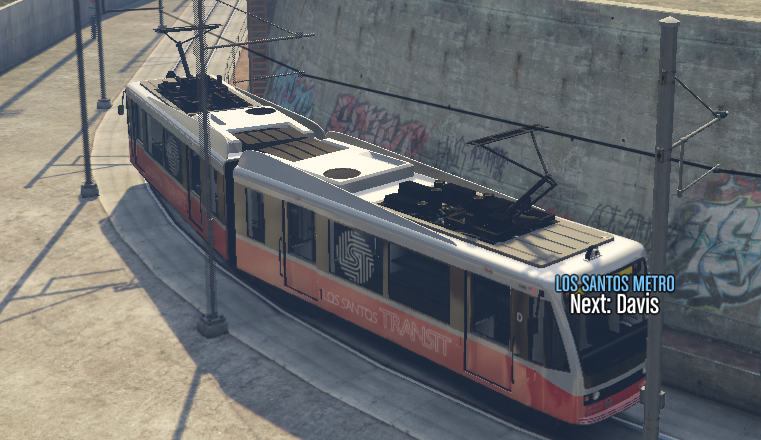



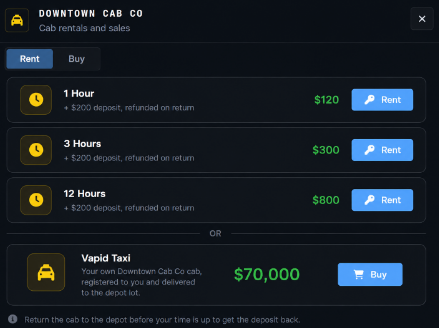
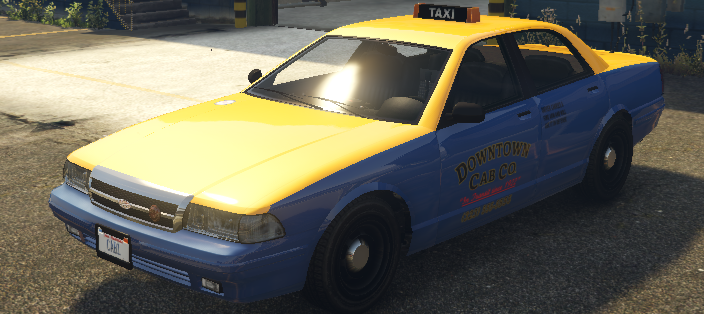
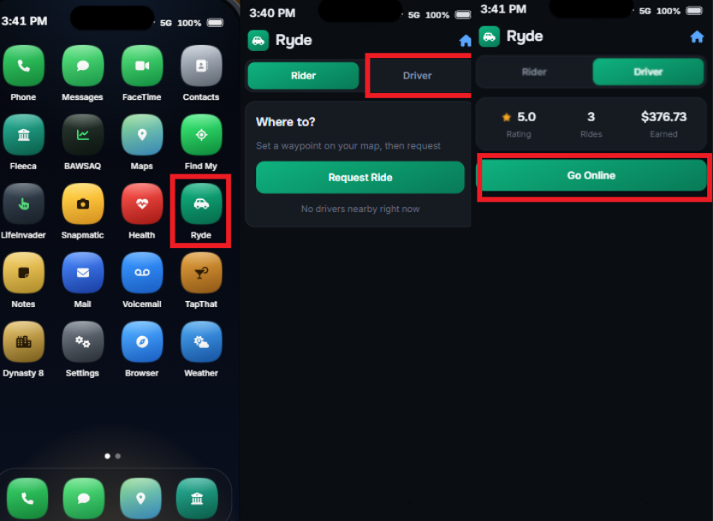
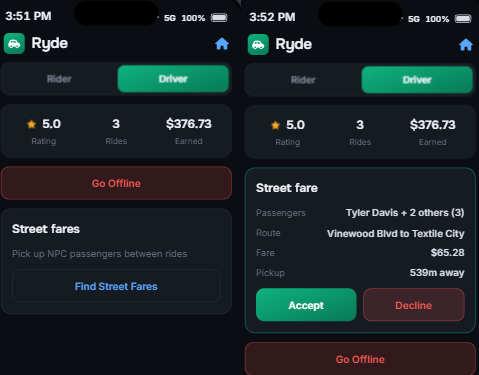
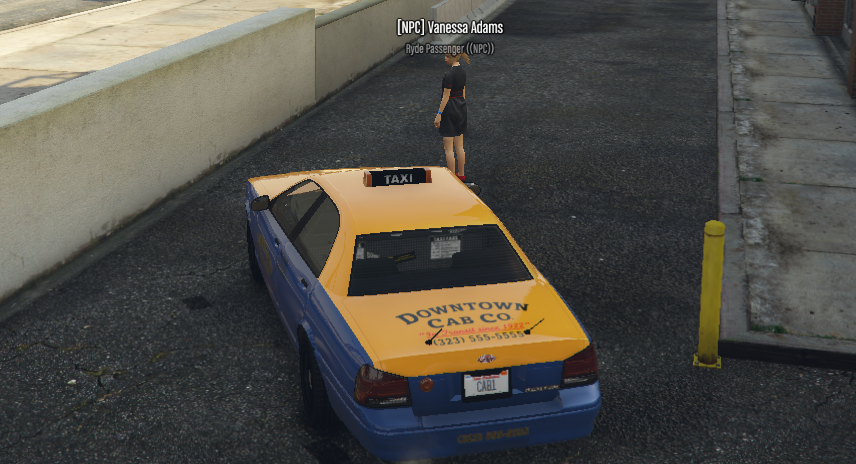
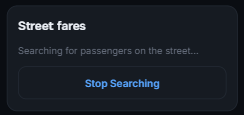
 ROLEPLAY PROJECT · TAXI JOB GUIDE [PICKY 1908/26.01] Welcome to the Taxi Job Guide! Your chance to hit the streets of Los Santos, meet new passengers, and become one of the city's most reliable drivers. Whether you're looking for a steady source of income, enjoy driving around the city, or simply want a job that keeps you moving, the Taxi Job offers a simple yet engaging way to earn money while providing an essential service to the community. In this guide, you'll learn everything you need to know to get started, from beginning your shift and choosing your taxi to accepting passenger requests, completing rides, and earning your pay. We'll also cover the available taxi options, job progression, and useful tips to help you become a more efficient and successful taxi driver. INFO Before starting your career as a Taxi Driver, make sure you have a valid Taxi License. Operating a taxi without the required license may lead to issues during your shift. You can purchase your Taxi License at any Department of Motor Vehicles (DMV) location. HOW TO START AND WORK THE TAXI JOB To begin your taxi duty, first make your way to the Taxi Job location. Open your map and look for the yellow vehicle blip — this marks the location of the taxi depot where you can start your career behind the wheel. Once you arrive at the depot, you'll be presented with several options by pressing E for how you want to get started. You can either rent a taxi for a set amount of time or purchase your own taxi to use for your work. If you're just starting out, renting a taxi is highly recommended. You can rent a vehicle for 1 hour, 3 hours, or 12 hours, allowing you to try the job and see if it's something you enjoy before making a larger investment. Buying your own taxi can be useful later on, but there's no need to rush into purchasing one before you've had a chance to experience the job. Choose the option that suits you best, get behind the wheel, and you're ready to start your taxi duty! STARTING YOUR SHIFT Once you have rented or purchased your taxi, the vehicle will spawn right next to you, ready for you to begin your shift. Get into your taxi and prepare to start working. However, simply entering the vehicle does not automatically make you available for passengers. You must activate yourself as a taxi driver before you can begin receiving ride orders. After activating your taxi driver status, you will become available for incoming passenger requests and can begin accepting rides around Los Santos. Get in, activate your driver status, and wait for your first passenger. IMPORTANT This job allows you to drive NPC passengers, meaning you don't have to rely on real players being around to receive taxi orders. Even if the streets are quiet and there aren't many players around, you can still enjoy your shift and earn money as a taxi driver. To receive your first NPC passenger, simply open your mobile app and press the designated button. Once activated, you'll receive your first pickup location and can begin your journey! Remember: Drive realistically, follow traffic rules, and treat every passenger as if you're providing a real taxi service. Even having an NPCs in your car, you're responsible to drive realistically! Once you've arrived at the pickup location, you'll see your NPC passenger(s) waiting for you. You can have a maximum of 3 passengers inside your taxi at the same time, so they spawn randomly, it might be from 1 up to 3 passengers at one pick-up location. Park your taxi close to the passengers and make sure they have enough space to get inside. Once you're positioned correctly, the NPCs will eventually enter your vehicle. After all passengers have entered the taxi, your GPS will automatically update with their final destination. Simply follow the route on your map and drive them safely to their destination. Once you've successfully reached the passenger's destination, your ride will be completed automatically and the fare will be paid directly into your account. After completing the ride, your mobile application will automatically switch to the "Street Fares" menu. This means you're now available to receive a taxi request from a real player. INFO If there aren't enough players online and you don't want to wait for a real player to request a taxi, you can continue taking NPC fares. Simply press "Stop Searching", then select "Find Street Fares" to receive another NPC ride and continue your shift. YOUR SHIFT STARTS HERE! And that's everything you need to know to get started as a Taxi Driver! Whether you're picking up real players or transporting NPC passengers, every ride is an opportunity to earn money and enjoy your shift on the streets of Los Santos. Remember to drive realistically, follow traffic rules, communicate properly with your passengers, and provide a smooth and professional taxi service. If there aren't enough players requesting rides, you can always switch back to NPC fares and keep your shift going. Now that you know how everything works, it's time to get behind the wheel, start your engine, and hit the streets! Your passengers are waiting — good luck, drive safe, and enjoy your shift! [PICKY 1908/26.01]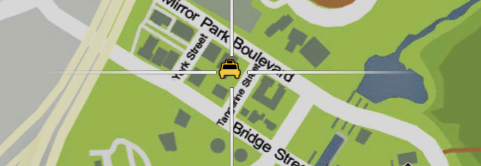
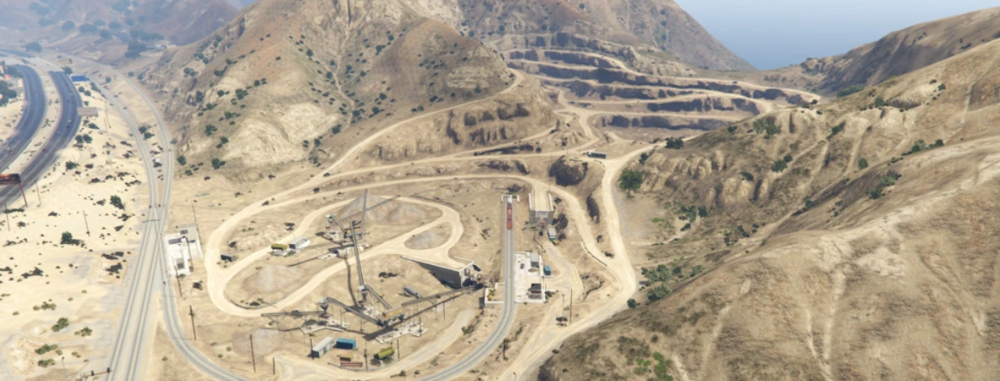
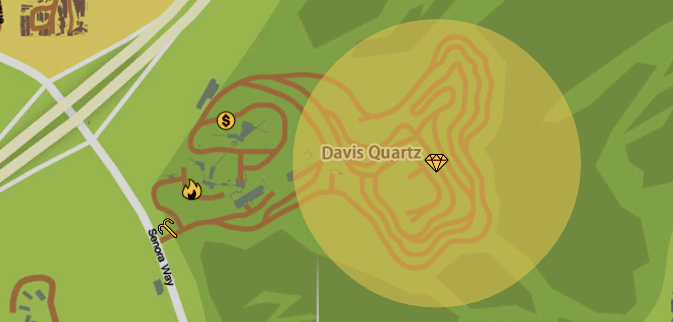
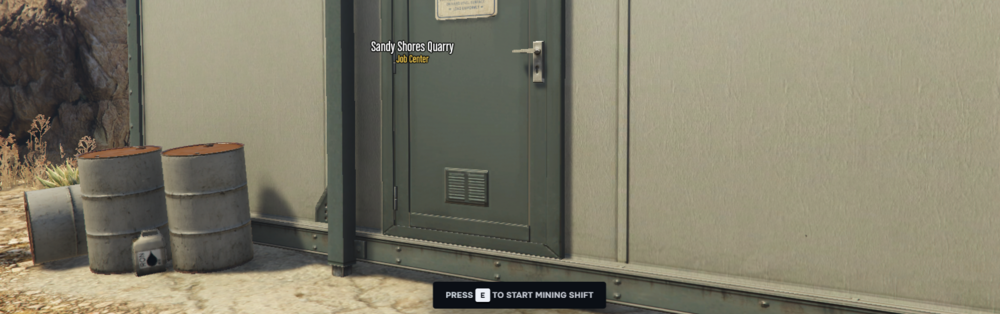
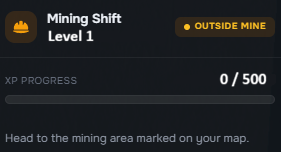
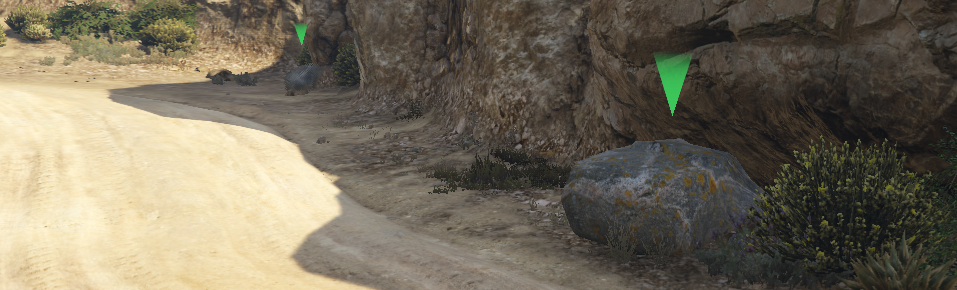
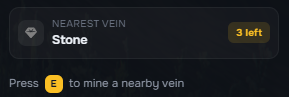
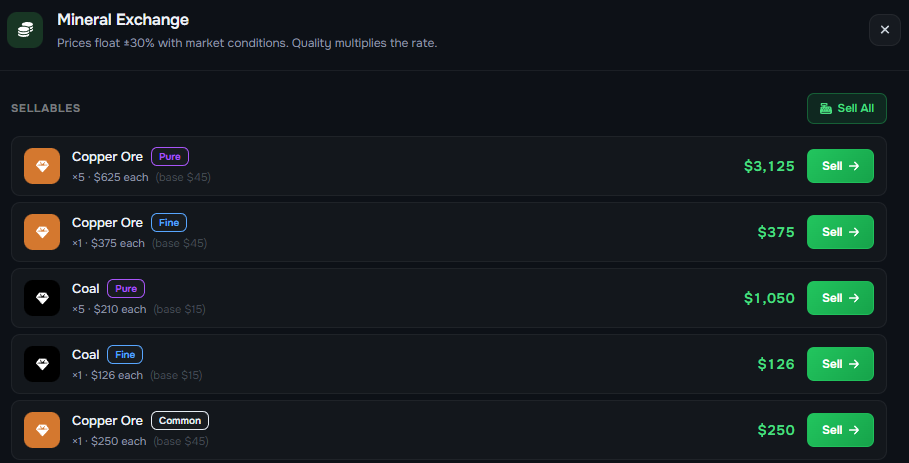
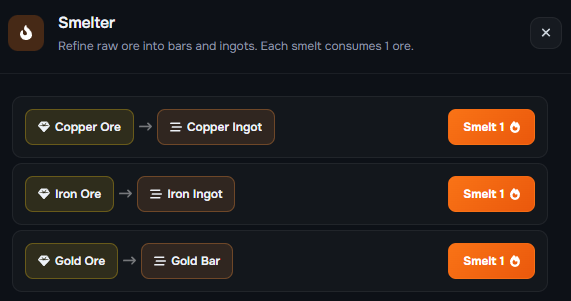
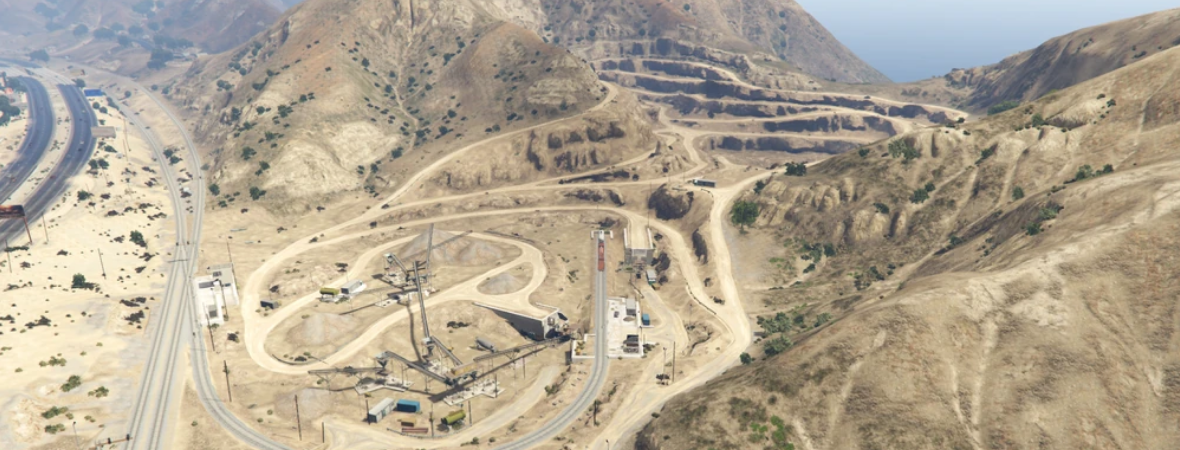
 ROLEPLAY PROJECT · MINING JOB GUIDE [PICKY 1808/26.01] Welcome to the Ultimate Mining Job Guide! Embark on a journey into the fascinating world of mining—a profession rooted in exploration, skill, and opportunity. Whether you're a beginner eager to learn how to start mining or a seasoned miner looking to level up, this guide is your comprehensive resource. Inside, you'll discover what this exciting job entails, from the basics of getting started to advanced techniques that maximize your efficiency. We’ll explore the various levels within the mining hierarchy, showing you how to progress and unlock new possibilities. As you rise through the ranks, you'll gain access to better tools, higher rewards, and exclusive opportunities that can transform your mining experience. Get ready to dig deep, unlock hidden treasures, and build a prosperous mining career. Let’s begin your adventure into the world beneath the surface! What this guide covers: ⛏️ How to Start Mining — Basic information on how to begin working as a miner and what you need before starting. 📋 Mining Basics — How the job works and the important things to take into consideration while mining. 📈 Mining Level Structure & Progression — How the level progression system works and when new minerals and smelting options become available. HOW TO START AND WORK THE MINING JOB To begin your career as a miner, you will first need to make your way to Davis Quartz, the main quarry where the Mining Job takes place. This is where your entire mining shift begins, from clocking in and collecting your equipment to extracting valuable minerals from the quarry. Once you arrive at Davis Quartz, you will notice four different locations marked on your map. Each blip represents an important part of the Mining Job: 💲- Location where you can sell your minerals after successfully mining them. 🔥- Smelter, where you can process your ores into refined materials. How smelting works and when you unlock each material will be explained further in the guide. ⛏️ - Mining Job starting point, where you begin and finish your duties. 💎- Quarry, where the main mining activity takes place. This is where you will work, roleplay as a miner, and search for valuable minerals. STARTING YOUR SHIFT Once you've arrived at Davis Quartz, your first destination should always be the ⛏️ Pickaxe location. This is where you officially start your mining shift. Walk up to the marked area and press E to start your duties. After pressing E, your mining shift will begin and you will be ready to head into the quarry and start working. Once your shift has started, you will also see an information menu on the right side of your screen displaying your current Mining XP and your progression toward the next level. From here, make your way toward the 💎 Diamond marker — this is where the actual mining activity takes place. ARRIVING AT THE QUARRY Once you've arrived at the 💎 Diamond location, you are now at the actual quarry where the main mining activity takes place. Throughout the quarry, you will notice multiple RED and GREEN information markers. These markers indicate the minerals available at each mining location and whether your current Mining Level allows you to access them. The system is simple: 🟢 GREEN — The mineral is currently available for you to mine. 🔴 RED — The mineral is currently locked because your Mining Level is not high enough. As you progress through your mining career and increase your level, more valuable minerals will become available to you. You will begin with the basic resources and gradually work your way toward more expensive and rare materials. MINING PROGRESS & ATTEMPTS While working at the quarry, the information menu on the right side of your screen will also display your remaining mining attempts for the current location. This allows you to keep track of how many times you can mine before you need to move on or manage your resources. IMPORTANT ! Your Mining XP will stop progressing when your inventory is full or overloaded. Make sure you regularly check your inventory and unload your collected minerals into your vehicle's trunk. Do not wait until your inventory is completely overloaded — keeping your inventory under control will allow you to continue gaining XP and progressing through your Mining Levels. SELLING YOUR MINERALS Once you've collected enough minerals, it's time to turn your hard work into profit. Head back to the $ marker. This is the location where you can sell the minerals you've collected during your shift. Walk up to the selling point and press E. A selling menu will appear, allowing you to choose which minerals you would like to sell and which ones you would prefer to keep. Select the minerals you want to sell, confirm the transaction, and collect your earnings. You can then return to the quarry and continue mining. Keep in mind that progressing to higher Mining Levels gives you access to more valuable resources, meaning your potential earnings can increase as you advance through the Mining Job. Once you've finished working for the day, simply return to the ⛏️ Pickaxe marker where you originally started your shift. Press E to end your duties and finish your Mining Job. However, if you're not ready to call it a day, you're completely free to continue working. Restock your supplies, unload your minerals, return to the quarry, and keep mining to gain more XP and work your way toward the next Mining Level. IMPORTANT ! Please make sure to roleplay properly and realistically while working as a miner. Do not rush through the job simply to farm money or XP. You are part of a roleplay server, and maintaining a high standard of roleplay helps create a better experience for everyone around you. Take your time, play the role, and enjoy the journey from a beginner miner to one of Los Santos' most experienced quarry workers. MINING LEVEL STRUCTURE & PROGRESSION The Mining Job features a 50-level progression system, with new minerals and processing options becoming available as you advance. Rather than having every level explained individually, the progression is built around several important level milestones that unlock access to new resources and higher-value opportunities. Your Mining Level determines which minerals you are able to extract from the quarry. As you level up, previously unlocked minerals remain available. Reaching a new milestone simply adds new resources to the pool of minerals you can find while mining. The Smelter is an important part of the Mining Job, allowing you to process the ores you have collected and turn them into more valuable refined products that can be sold afterward. The higher your Mining Level, the more valuable materials you can process. Keep progressing through the levels to unlock the full potential of the Smelter. LEVEL 1 - BASIC MINERALS Every miner begins at Level 1. At this stage, you are introduced to the fundamentals of mining and can begin extracting the most common materials. AVAILABLE MINERALS Coal Stone These basic resources are the foundation of your mining career and allow you to gain experience and progress toward higher levels. LEVEL 5 - COPPER & IRON Level 5 is the first major milestone in your mining career! Once you reach Level 5, you unlock the ability to mine new minerals: AVAILABLE MINERALS Coal Stone Copper Ore Iron Ore This is also the level where Copper and Iron become available at the Smelter. The Smelter allows you to take the minerals you have collected and process them into a more valuable refined product, which can then be sold for additional profit. In other words, mining the ore is only one part of the process — smelting allows you to turn your collected resources into more valuable materials before selling them. LEVEL 20 - GOLD At Level 20, you unlock Gold Ore, giving you access to a significantly rarer and more valuable resource. At the same level, Gold is also unlocked at the Smelter. AVAILABLE MINERALS Coal Stone Copper Ore Iron Ore Gold Ore This means that once you reach Level 20, you can mine Gold Ore, process it through the Smelter, and turn it into a more valuable refined product that can be sold afterward! LEVEL 40 - DIAMOND & EMERALD Level 40 is the final major mineral unlock. At this level, you gain access to the rarest resources available in the Mining Job. AVAILABLE MINERALS Coal Stone Copper Ore Iron Ore Gold Ore Diamond Ore Emerald Both materials also become available for processing through the Smelter. These resources are significantly rarer than the lower-tier minerals, making them an important part of the progression toward becoming a high-level miner. MINERAL SPAWN CHANCES (%) Not every mining location will produce the same mineral. Each resource has its own spawn chance, with common materials appearing much more frequently than rare ones. CHANCES OF SPAWN 🥇 Gold — 3% ⚙️ Iron — 7% 🪨 Stone — 45% 🟠 Copper — 13% 💎 Diamond — 1.5% 💚 Emerald — 0.5% This means that Stone is the most commonly found resource, while Emerald is one of the rarest, with only a 0.5% chance to spawn. Rare resources such as Gold, Diamond, and Emerald require both the appropriate Mining Level and a successful spawn, making them much more valuable when you manage to find them. YOUR SHIFT STARTS HERE! Every level brings you closer to becoming a true master of the mines. Start with the basics, learn the trade, work your way through Copper, Iron, and Gold, and eventually earn access to the rarest resources in the job. The deeper you progress, the greater the rewards — so grab your equipment, head into the mines, and start building your mining career! [PICKY 1808/26.01]